From version 12.5 SU 4 if shutting down the server ungracefully you will see WARNING: Ungraceful shutdown detected – A rebuild of this node is highly recommended to ensure no negative impact (such as configuration or file system corruption). For rebuild instructions, see the installation guide.
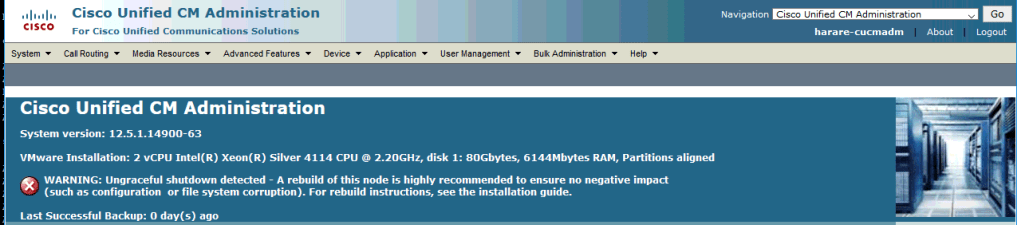
All ungraceful shutdowns and restarts will not cause corruption.
Steps that can be done to check integrity:
Database: cli command ‘show tech dbintegrity’ – will check database integrity. OS:
Booting off the recovery.iso and running file system check – will check OS file system integrity.
1) There is a COP file on cisco.com that will add CLI command that will let you remove the warning message: ciscocm.add_utils_ungraceful_warn_disable_v1.0.k4.cop.sha512
CLI Command: utils ungraceful warn disable
After this change, the ungraceful shutdown will still be documented in the system-history.log
Note: Versions 12.5.1SU6 and 14SU2 and higher have this CLI command by default.
 CRAZY NETWORKING
ONce you issue this command, can you re-enable the alerts to come back? Or if you have an ungraceful shutdown again will it alert you?
LikeLike
If you have an ungraceful shutdown again, the warning will be triggered, and you will need to turn it off using the same command.
LikeLike