
While conducting some deauth tests for educational purposes, something came to my mind. Can I perform the deauth on Miracast? I wanted to give it a try, and I was able to perform a deauth on Miracast Direct as this uses a direct connection between the Laptop/Mobile and the screen.
What is a deauth Attack?
An attacker can send fake “deauthentication frames” to the device, causing the devices to disconnect from the Wi-Fi connection.
Miracast has two modes:
Miracast Direct
It uses Wi-Fi Direct (P2P) technology to create an ad-hoc, encrypted wireless connection directly between two devices without requiring a wireless access point or router.
Miracast over Infrastructure (MS-MICE)
MS-MICE is a Microsoft-developed extension that allows Miracast to work over an existing local area network (LAN)—whether that is secure Wi-Fi or a wired Ethernet connection.
I was able to do a deauth on Miracast Direct.
Then something else came to mind. Since I come from a collaboration background, I wanted to test whether I could execute a deauth attack on Cisco Webex devices.
Can I disrupt the meeting’s presentation over Miracast? Yes, I can. Here are the details of the test I performed.
Here is the test setup.
A Windows 11 laptop.
Cisco Bar
And a Flipper Zero with the Wi-Fi Dev Board.
The Flipper Zero Wi-Fi Dev Board is sufficient for the deauth attack on Cisco devices, as Cisco devices operate on 2.4 GHz for their Miracast Direct, according to the Webex link https://help.webex.com/en-us/article/w60modb/Configure-wireless-sharing-with-Miracast%C2%AE
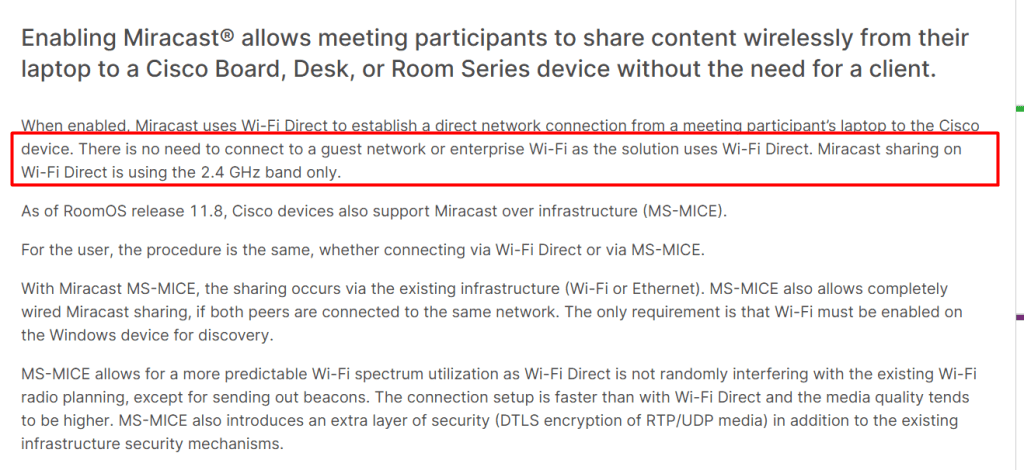
The Flipper Zero Wi-Fi Dev Board operates only on 2.4 GHz. However, Miracast can function on both 2.4 and 5 GHz. In the future, if vendors move to 5 GHz, you might attempt deauth using the ESP32-C5 chips.
If you want to watch the video on executing a deauth, I’ve shared it on YouTube.
Here are the steps you need to follow.
Connect the device to the Cisco device using the Miracast Wi-Fi Direct option. By default, Cisco devices are set to auto mode. Cisco devices support both Direct and MS-MICE, which utilize the infrastructure.
When running a deauth in infrastructure mode, I couldn’t succeed. I hope to achieve this one day.
Change the mode to Direct, or use a laptop that is not on the same network as the Cisco device when using AUTO configuration on Cisco devices.
- Go to Flipper Zero APP’s
- Select GPIO
- Select Wi-Fi Murauder
- Scan the SSID.
Once scanned, you will find an SSID with HM (screenshot below); select this
and run the deauth.
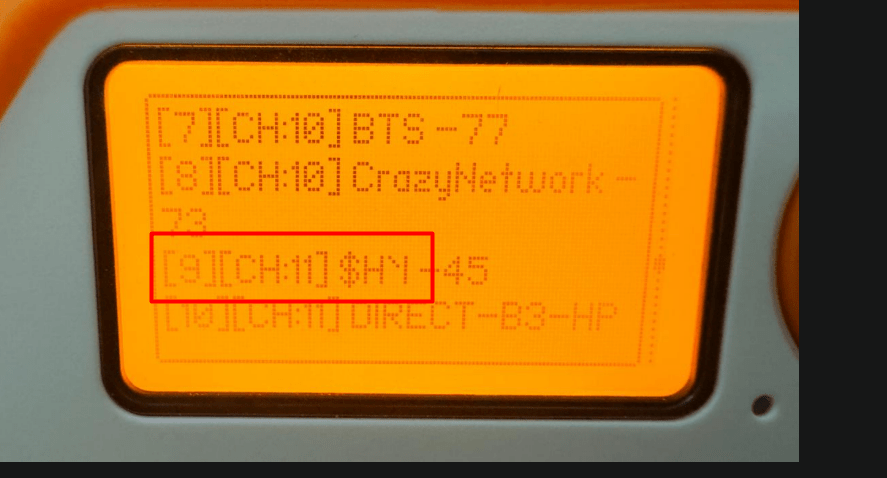
In a few seconds, the Miracast will be disconnected.
It was observed that a reboot of the Cisco device is required for Miracast to work after a deauth attack.
This is not a critical vulnerability; however, it can disrupt the meeting experience, and especially when this attack occurs during a board meeting, it can be a significant issue.
I will be conducting more tests on devices like Barco, Huawei Idea Hub, Yealink, etc., in the coming weeks and will share my findings. I hope to discover similar problems since they have their own Wi-Fi setups on these devices and utilize Miracast.
I couldn’t perform a deauth on Airplay and Miracast Inframode. There could be a possibility, maybe due to my limited knowledge preventing me from doing so.
 CRAZY NETWORKING