ISSU is an upgrade from one image to another while the traffic flow. ISSU was released on version 17.1.X as beta and in production from version 17.3.
Issu Eliminates network Downtime during the controller upgrade. Automate the process of upgrade without manual interventions.
Prerequisites of ISSU upgrade
- Base Image is ISSU capable
- SSO pair in Active-Hot Standby
- Controller in INSTALL MODE
ISSU Process
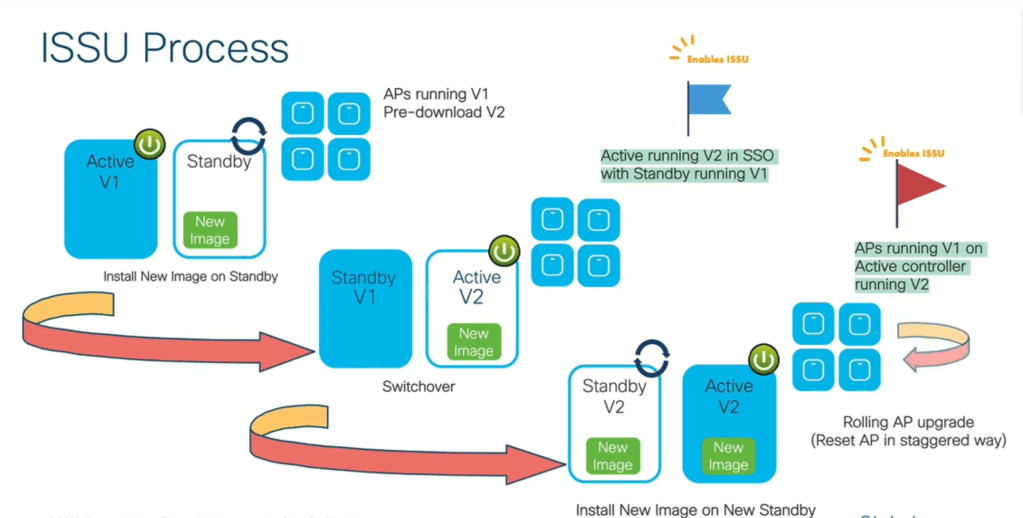
- The user upload the image and the image will be synced to AP and the stand by controller.
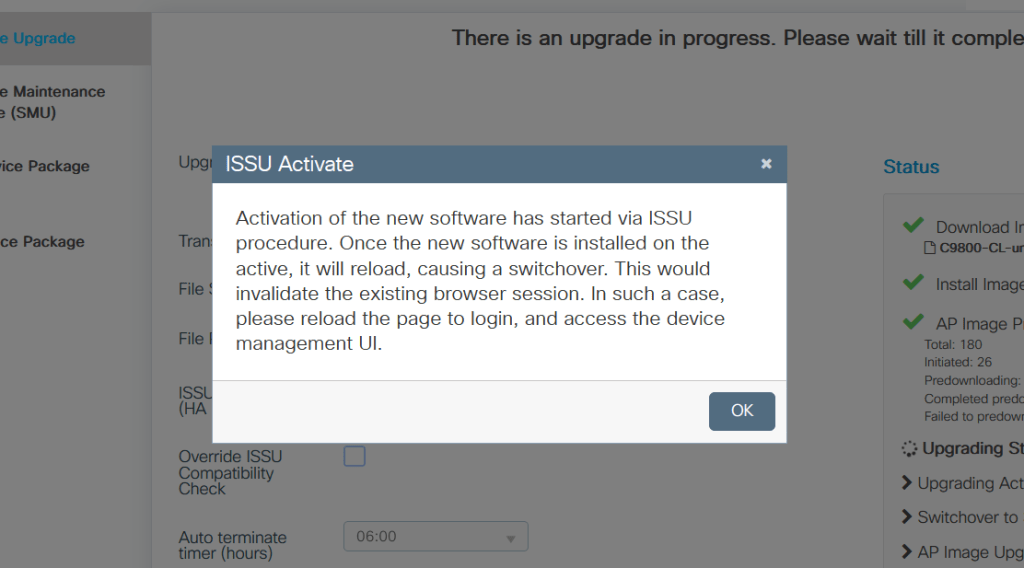
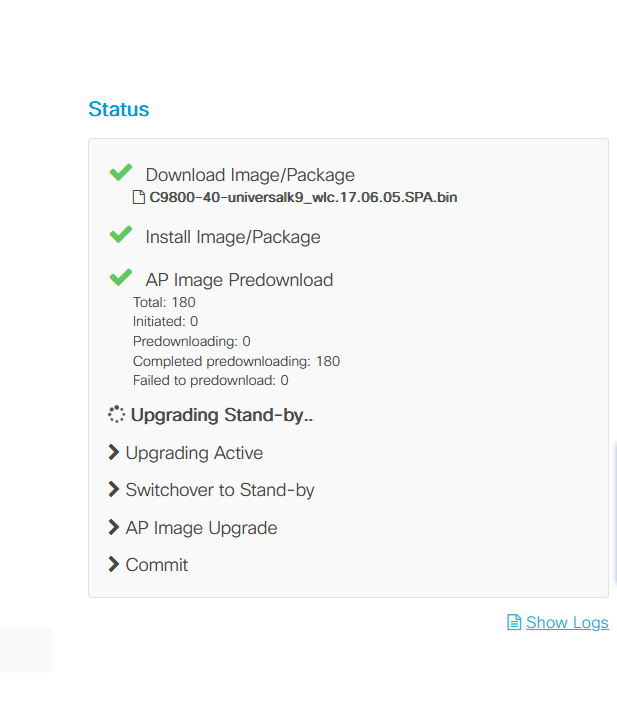
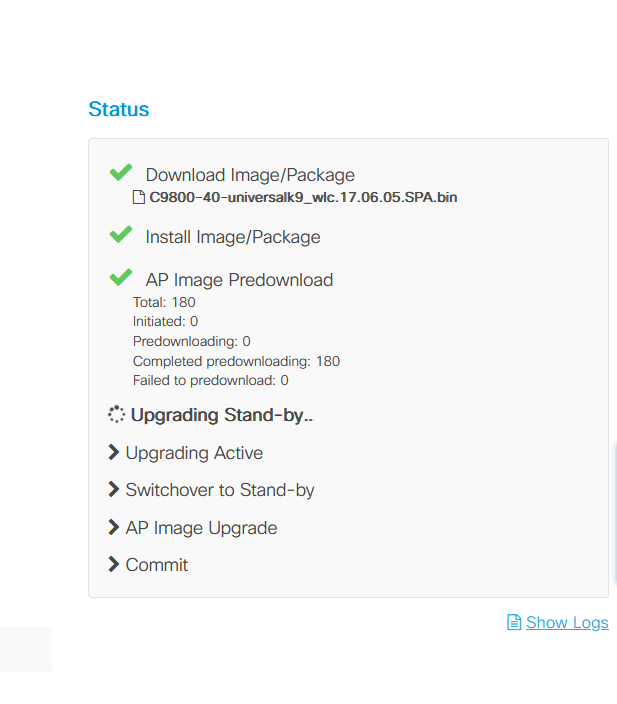
- The image will be installed on standby Controller and it reboot with new image
- The standby becomes active and SSO is still possible with the old and new image which make ISSU to work.
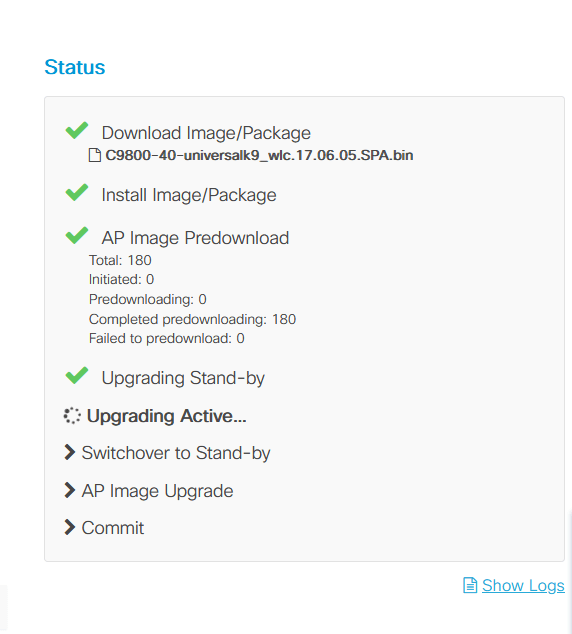
- The image will be installed on new standby Controller and it reboot with new image
- Now both are on same versions
- Now rolling Ap upgrade will be kick started
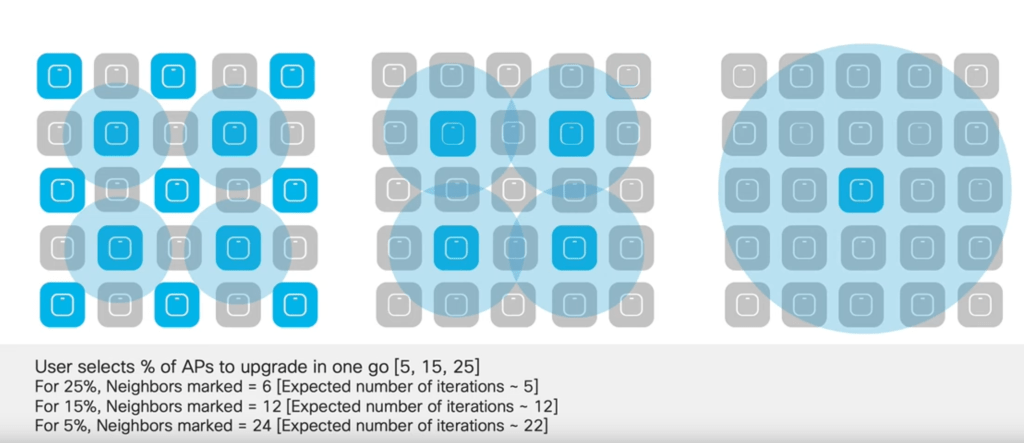
Rolling AP upgrade
its a new method of upgrading AP in staggered manner. User select the % AP upgrade in one Go . it can be a percentage of 5, 15 or 25.
ISSU process in action
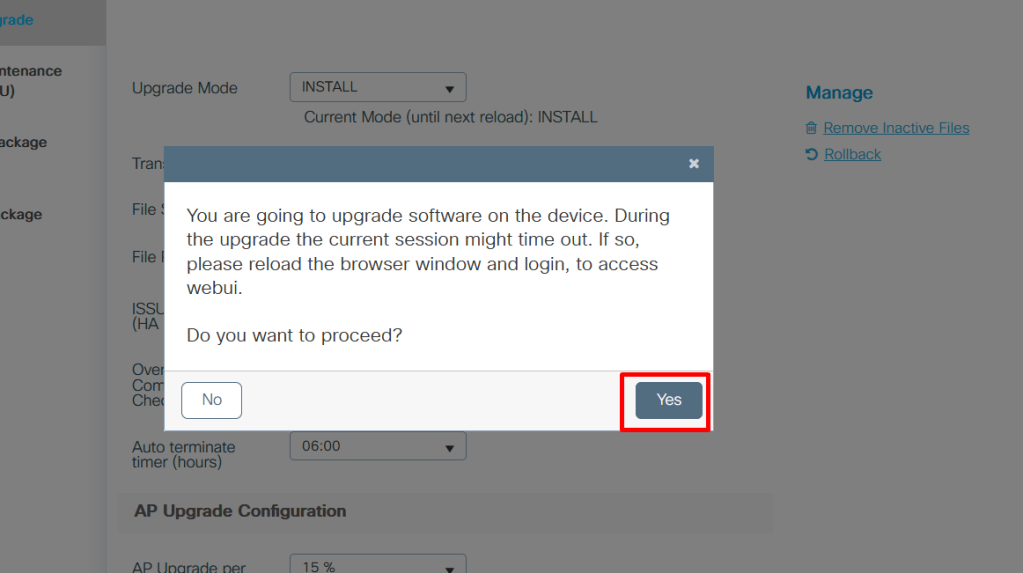
Im uploading the image from my device to the boot flash. The upgrade Mode must be INSTALL

Click On Yes
The Upgrade Process will be started and you can keep monitoring from the STATUS .
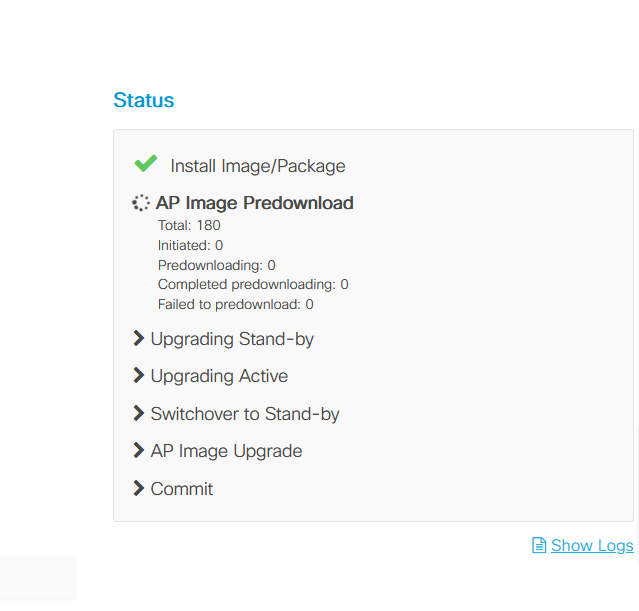

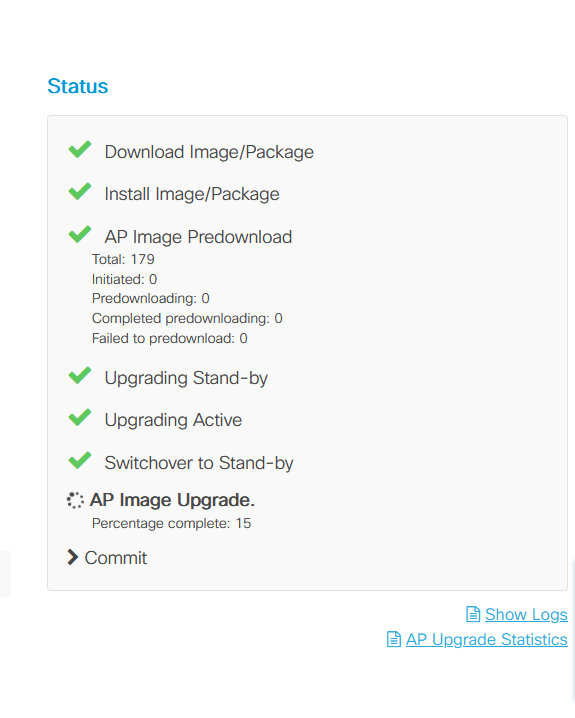
Commit to make the changes permanent. This can be issues any time after the controller is upgraded successfully even without waiting for the AP reset procedure. Install commit will create a rollback point.
 CRAZY NETWORKING