The new 802.11ax (Wi-Fi 6) standard addresses both Co-channel interference (CCI) and Overlapping Basic Service Set (OBSS)
BSS Coloring is a method used to differentiate between the BSS of access points and their clients on the same RF channel. Wi-Fi 6 enables each AP radio to assign a value (from 1 to 63), known as BSS color, to be included in the PHY header of all HE transmissions from devices in its BSS. With devices of each BSS transmitting a locally-unique color, a device can quickly and easily distinguish transmissions coming from its BSS from those of a neighboring BSS.
The following platforms support this feature:
- Cisco Catalyst 9800 Series Wireless Controllers
- Cisco Catalyst 9100 Access Points
OBSS-PD and Spatial Reuse
Overlapping BSS Packet Detect (OBSS-PD) is a more aggressive Wi-Fi packet detect threshold for inter-BSS packets, which can be higher than the typical/legacy -82 dBm. Inter-BSS packets are easily identified by comparing the BSS color in the HE PHY header of the packets received with the BSS color of the device
Configuring BSS Color
Go to configurations >> Access Point
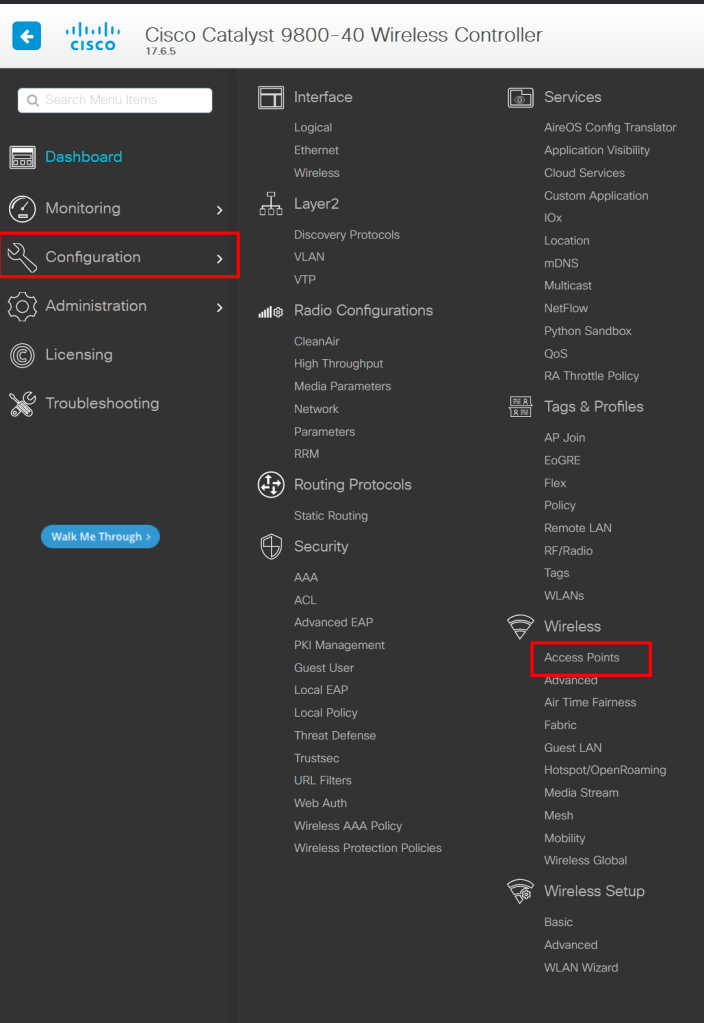
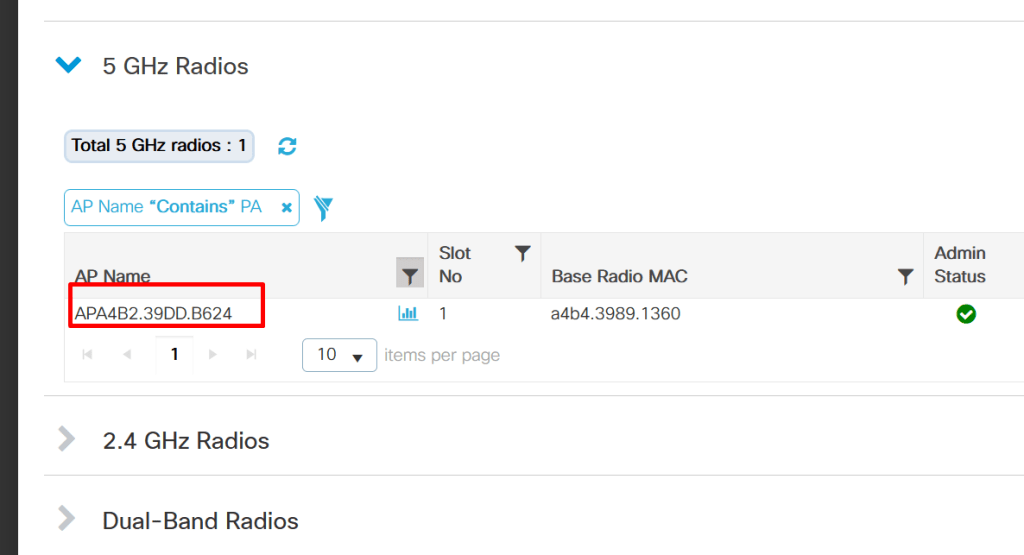
Click on the Access Point
In this example i have enabled this globally.
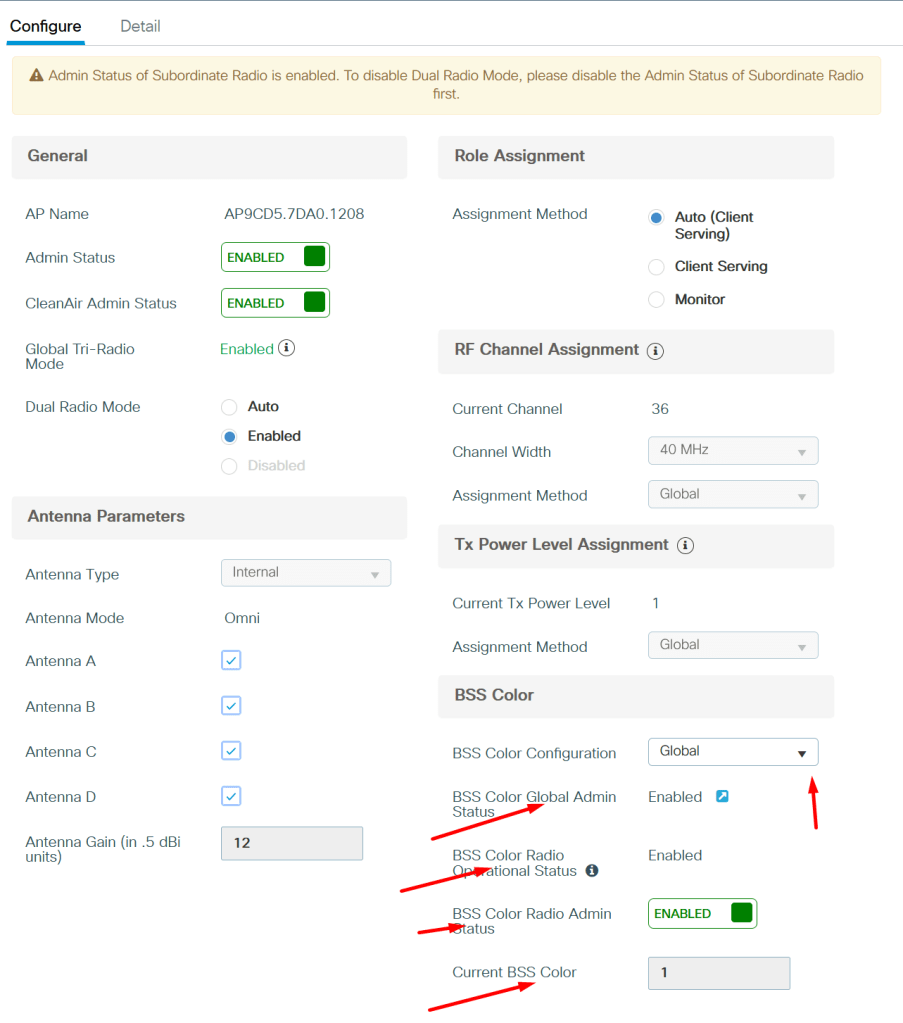
To enable Globally
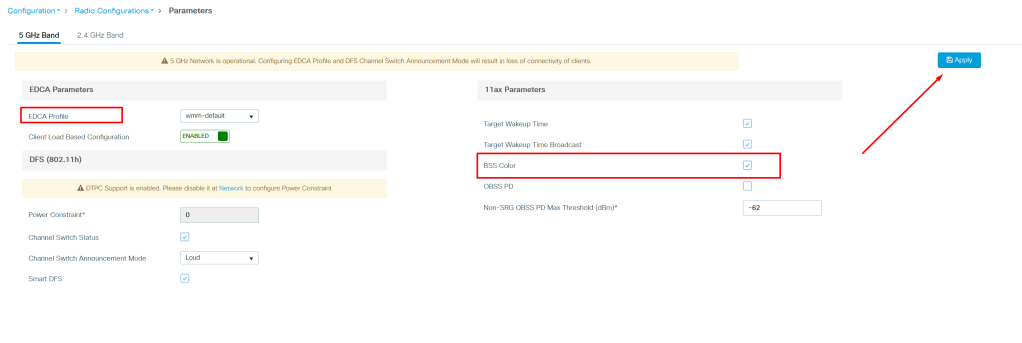
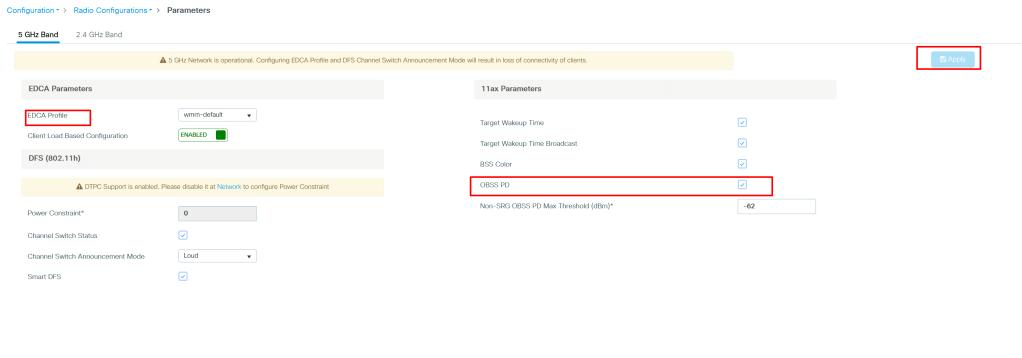
Go to Configuration >> Radio Configurations >> Parameters

Choose the profile , enable the BSS color and click Apply.
Configuring Overlapping BSS Packet Detect
Choose the Profile enable the OBSS PD and click Apply

You cannot edit the default RF profiles, create a new one and Select the Profile >> go to advanced and toggle ENABLED.
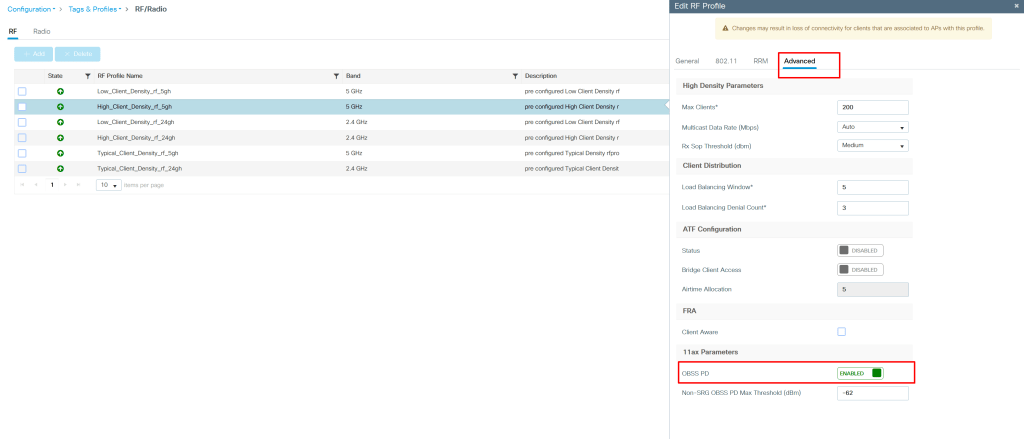
Apply The Profile on RF TAG.
 CRAZY NETWORKING