This feature is available in Cisco Unified Communications Manager (UCM) versions 11.5 SU8, 12.5 SU3, 14.0, and 15.0.
The Simple Refresh feature allows for the migration of multiple lines, Busy Lamp Fields (BLF), speed dials, and more, without user intervention.
For End Users: Simply enter your credentials on the new phone to transfer all your details from the old phone.
For Administrators: You can perform the migration on behalf of the users.
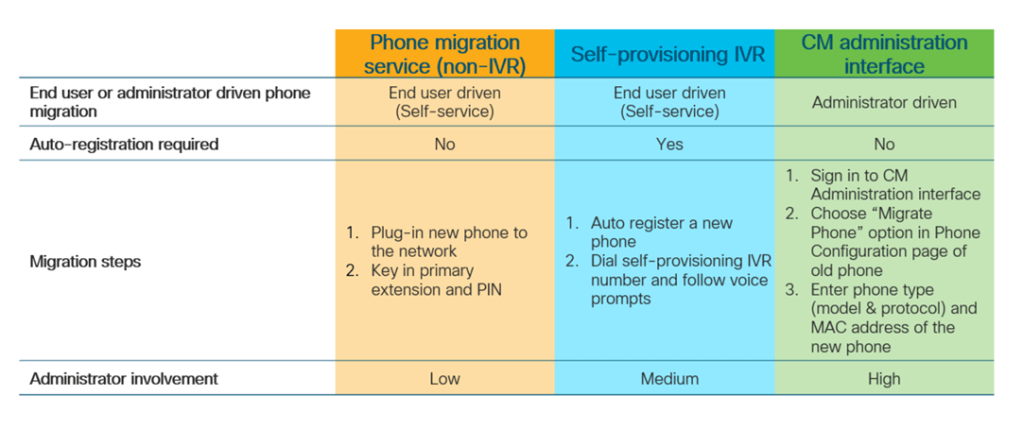
The Simple Phone Refresh migration can be executed in three different modes, as outlined in the following table. It details the requirements, complexity, and steps for each mode. Choose the option that best fits your environment.
Enterprise Parameters for Phone Migration
Migration relies on three key parameters in the Enterprise Parameters Configuration page:
- Provisioning a Replacement Phone for an End User:
- Retain Existing Phone(s) (default option): The old phone is marked as migrated and can be filtered in the Find and List Phones page to generate a migration report.
- Note: Choosing this option consumes two licenses—one for the existing phone and one for the new phone.
- Note: The intercom DN is not migrated to the new device if this option is selected.
- Delete the Existing Phone for that End User: The intercom DN information is also migrated.
- Retain Existing Phone(s) (default option): The old phone is marked as migrated and can be filtered in the Find and List Phones page to generate a migration report.
- Security Profile for Migrated Phone:
- This determines the type of security profile applied to a migrated phone (if the old phone was in secure mode). Choosing the Non-secure profile will bring up your device in non-secure mode.
- Phone Migration User Identification Prompt:
- This parameter determines whether a user can proceed with phone migration using the Self-Service User ID or the Primary Extension.
- Use Enduser Self-Service User ID: The end user is prompted to enter the unique Self-Service User ID before proceeding with phone migration.
- Use Enduser Primary Extension: The user can migrate their phone after entering the primary extension number. Note that if the same DN exists in different route partitions, phone migration is not possible using IVR or Phone Migration service.
- This parameter determines whether a user can proceed with phone migration using the Self-Service User ID or the Primary Extension.

Using Self-Provisioning IVR Service
Note: This blog does not cover the configuration of self-provisioning. A separate article will address that topic.
If your office uses self-provisioning, no additional configuration is required to utilize the phone migration feature.
When you dial the Self-Provisioning Number, you will have the option to replace the existing phone by selecting option 2. Watch the video below for a demonstration.
Before end users can use self-provisioning for migration, ensure the following configurations:
- Enable Auto-registration.
- Primary Extension: End users must have a primary extension. Ensure that the primary DN is always Line 1 on the phone or device.
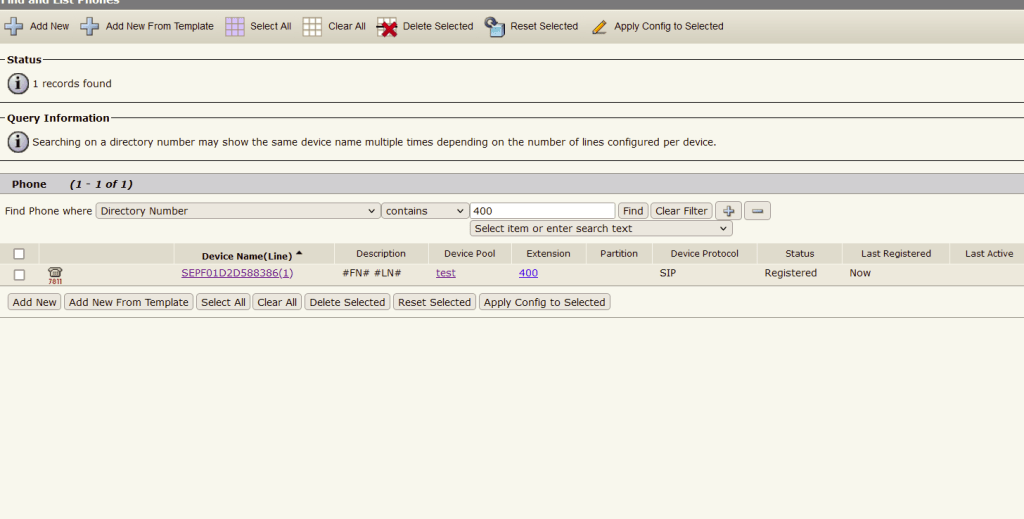
In this example, I will replace my 7811 phone with a new 7841 and choose the “Retain Existing Phone” option in the enterprise parameter. After migration, I will see two devices with extension 400.
To use Self-Provisioning, we need to enable Auto-registration. My new device has been registered with extension 4455521.
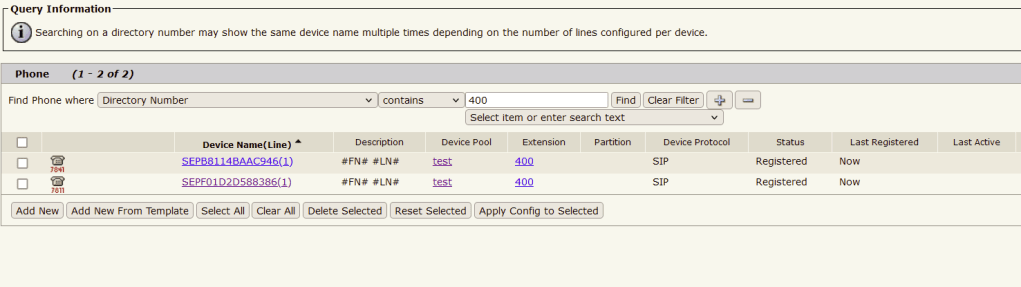
If you choose Delete the Existing Phone for that End User, you will see Only 7841 with 400 Extension.
Using Phone Migration Service
Before end users can utilize the Phone Migration Service, ensure the following configurations:
- Disable Auto-registration.
- Primary Extension: End users must have a primary extension. Ensure that the primary DN is always Line 1 on the phone or device.
- Supported Phone Models: 88XX, 78XX, 8832, and 7832.
- Minimum Supported Phone Version: Release 12.8.1 and above.
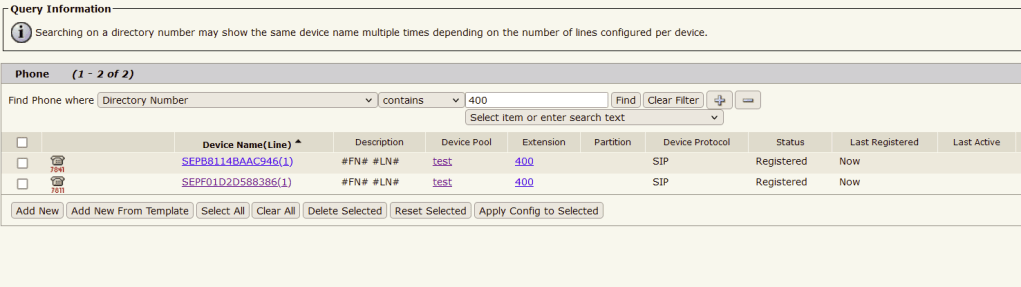
If you choose Delete the Existing Phone for that End User, you will see Only 7841 with 400 Extension.
To Learn more about this feature refer CUCM Feature Configurations Guide. Here is the Link for 12.5SU(4)
 CRAZY NETWORKING